

Floor PDU vs Rack PDU: Roles and Key Differences
PDU means power distribution unit; rPDU is short for rack PDU. Supplier terms such as “cabinet PDU” and “data center PDU” can be ambiguous. Confirm the device’s function, inputs, and outputs on the electrical drawings rather than relying on its name.
In one common arrangement, UPS output feeds a floor PDU, whose circuits supply rack PDUs directly or through a remote power panel (RPP). The RPP places branch-circuit distribution closer to the racks; rack PDUs provide the final equipment outlets. Other layouts use panelboards or busway.
Conventional PDUs provide neither extra supply capacity nor battery backup; the uninterruptible power supply (UPS) provides backup power. More outlets permit additional connections only when the upstream supply and affected circuits can support the added load.
| Comparison point | Floor PDU | Rack PDU |
|---|---|---|
| Distribution scope | Supplies multiple racks or a data hall area | Supplies IT equipment within a rack |
| Outputs | Protected outgoing circuits or subfeeds to downstream distribution | Outlets for equipment power cords |
| Voltage transformation | Available in transformer-based designs; transformerless configurations also exist | Conventional AC models distribute the supplied voltage without transforming it |
| Capacity basis | Aggregate load, distribution configuration, and available outgoing circuits | Rack load, input rating, phases, outlet groups, and individual outlets |
| Monitoring options | Main input, output, or branch-circuit measurements | Input, phase, outlet-group, or individual-outlet measurements |
| Installation | Floor-standing enclosure requiring installation and service space | Vertical 0U mounting or horizontal mounting that uses rack units |
| Loads affected by isolation | Loads supplied by the affected outgoing circuits, potentially across several racks | Devices connected to the affected rack unit |
| Cost drivers | Distribution hardware, transformer where included, installation, and outgoing wiring | Electrical rating, outlet configuration, monitoring, switching, and rack integration |
Features depend on the selected model. Rack PDUs also serve high-density workloads, so a fixed “low-power” limit does not distinguish them from floor PDUs.

Which PDU Layers Does Your Project Need?
Adding a Rack to an Existing Facility
If suitable rack supply circuits already exist, focus on selecting compatible rack PDUs. In a colocation facility, ask the operator for the supplied voltage, usable circuit capacity, connection type, and available power paths.
A familiar receptacle does not confirm the rack’s permitted power draw. You may not need a new floor PDU, but the existing upstream distribution still sets the limits for the rack.
Building or Expanding Multi-Rack Distribution
A new room or multi-rack expansion requires planning the outgoing facility circuits, equipment connections, and data center electrical enclosures together. Establish rack loads, the distribution layout, and redundancy requirements before selecting hardware.
Consider a floor PDU where its distribution, voltage transformation when needed, and monitoring fit the design. Specify downstream rack PDUs against the planned supplies; selecting them before confirming the upstream design risks incompatible inputs or insufficient capacity.
Using RPP or Busway Distribution
Where the required voltage and conductor configuration are already available, an RPP or panelboard can distribute branch power without adding another transformer-based floor PDU. Busway can supply racks through appropriately rated tap-off units. Rack PDUs provide the equipment connections downstream.
Assess these alternatives against the layout, expansion needs, and installation constraints. Omitting a floor PDU changes how upstream distribution is provided; it does not remove the need for suitable circuits and protection.

How to Match Floor and Rack PDU Specifications
Check Capacity Under Normal and Failover Conditions
Start with the planned maximum IT load, including expected workload peaks. For racks serving large AI training clusters, account for workload-driven power fluctuations. Check the upstream supply, outgoing circuit, rack PDU input, each phase, protected outlet groups, and individual outlets. A total load below the PDU’s rating can still overload one phase or outlet group.
Keep units clear. kW describes real power, while kVA describes apparent power. Check both where specified, together with voltage, current, and power factor. Use the applicable continuous-load limits and manufacturer ratings rather than applying a universal “80% rule” to every component.
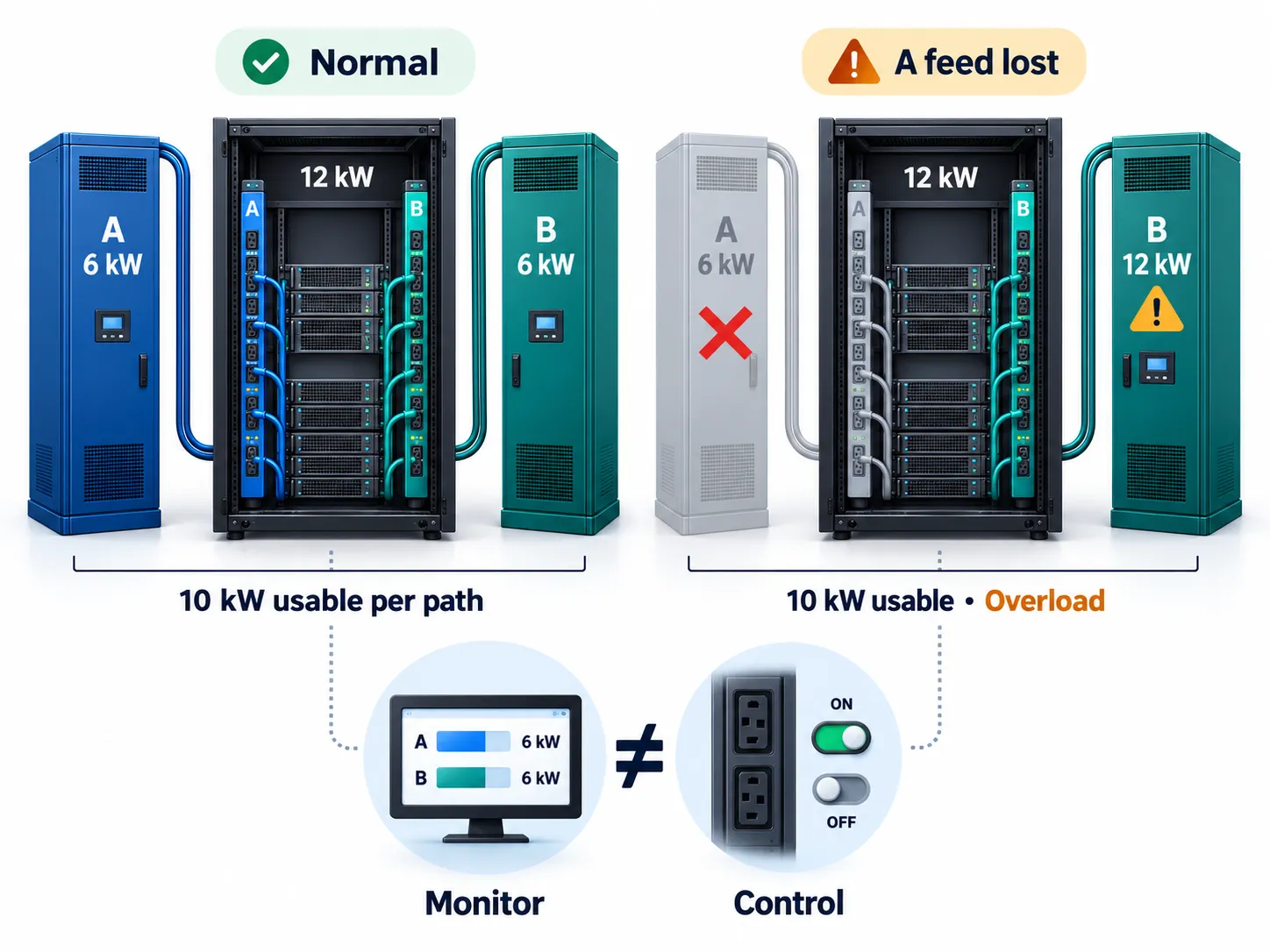
For example, assume dual-corded equipment needs 12 kW, shared equally between A and B feeds. Each path has 10 kW of usable capacity. Normal operation puts 6 kW on each path. If the equipment transfers its full load after losing one feed, the survivor must supply 12 kW. Together, the feeds support normal operation; neither can carry the required failover load.
Verify actual power-supply behavior and shared upstream failure points. Single-corded equipment needs a compatible transfer arrangement, such as a rack automatic transfer switch (ATS), to use two sources. Two ordinary rack PDUs alone cannot switch its supply.
For expansion, check connection resources as well as spare power. Free breaker pole positions do not equal available rack circuits: each circuit requires the appropriate number of poles. Confirm usable outgoing circuits, compatible outlets, and capacity in the relevant phases and groups. Treat growth allowance separately from capacity needed for failover.
Specify Monitoring and Control Separately
Specify measurement points, metrics, alarm thresholds, and integration with the site’s monitoring system. Circuit-load alarms warn of approaching limits; outlet meters measure individual power connections. For dual-corded equipment, add power readings taken at the same time from its A and B outlets to obtain total device input power. A reading from one outlet covers only that input.
“Metered” does not necessarily mean remotely monitored, and remote monitoring does not imply outlet switching. Confirm the actual capabilities: local display, network access, outlet measurement, and remote on/off control.
Turning off one outlet can leave dual-corded equipment running from its other input, so remote power-cycle planning must account for both supplies. Monitoring and alarms do not replace the installed breakers, fuses, or other required protection.
Verify Connections, Protection, and Service Access
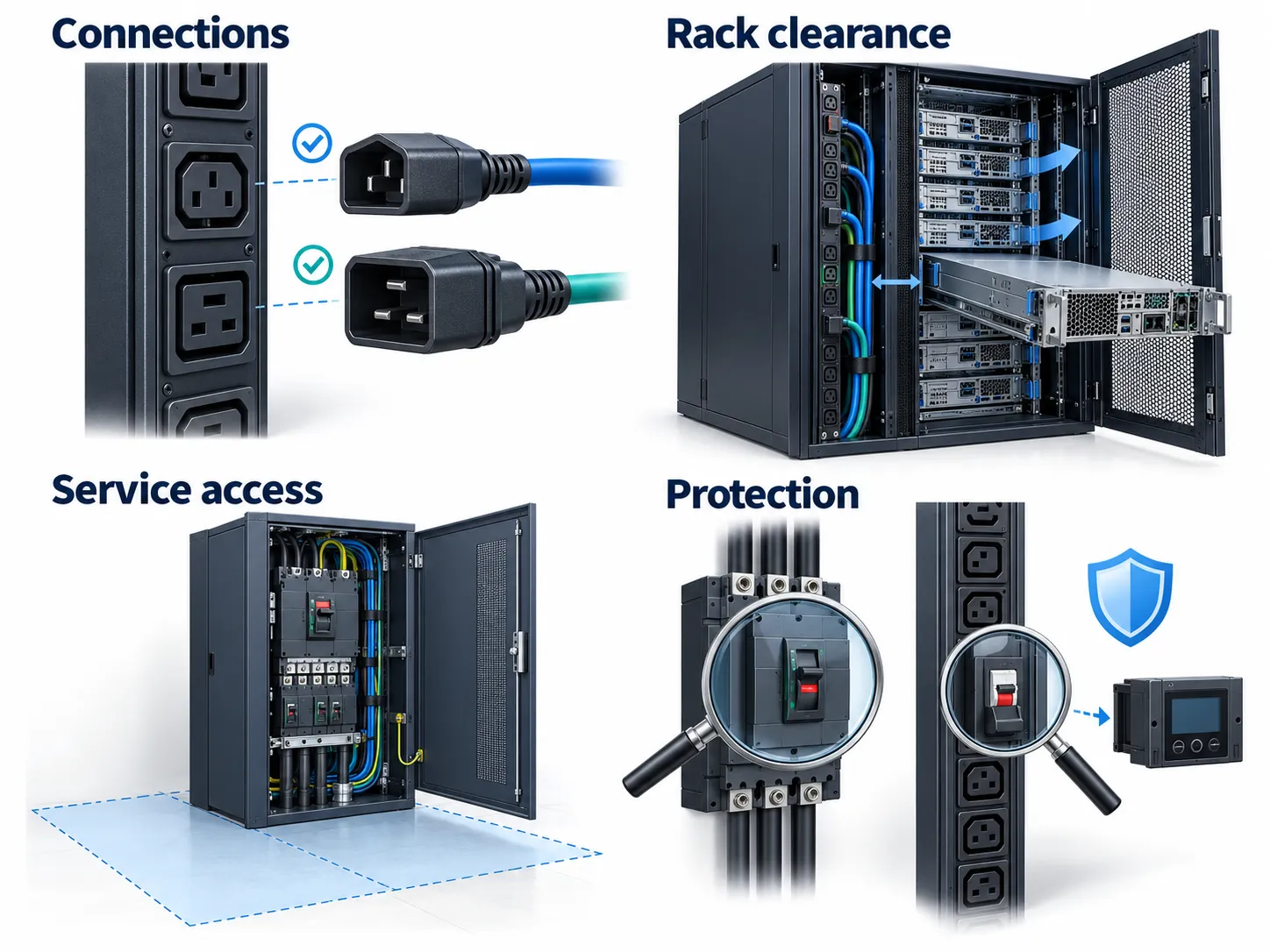
Match voltage, phase arrangement, required conductors, input connection, and equipment cords. For outlets such as C13 and C19, verify the connector type, electrical ratings, and cord-retention arrangement against the equipment’s requirements.
Check the rack dimensions and physical layout. A vertical 0U PDU preserves equipment mounting positions but still occupies cabinet space. Allow for its body, plugs, and cords when checking server removal, door closure, airflow, and cooling connections. Verify its operating-temperature rating for the mounting location.
Confirm service clearances and cable entry for the floor PDU. For projects that need cabinet housing, E-Abel’s enclosure range includes free-standing and modular options. Match the housing to the electrical assembly, cable routing, and maintenance access. Verify the completed PDU’s electrical ratings and required approvals separately from the enclosure specifications.
Have the electrical designer verify fault-current suitability throughout the distribution path, including rack PDUs and any manufacturer-specified upstream protection. Check equipment short-circuit ratings and breaker or fuse interrupting ratings separately against the available fault current at their respective installation points. Protection coordination also needs verification: installing a downstream breaker does not guarantee that only it will trip during a fault.
Distinguish controller service from complete PDU replacement. Some intelligent rack PDUs permit controller replacement without interrupting outlet power; this capability does not extend to replacing the entire unit. Establish which loads each task affects and whether the remaining path can support them during maintenance.
FAQs About Floor PDUs and Rack PDUs
Conclusion
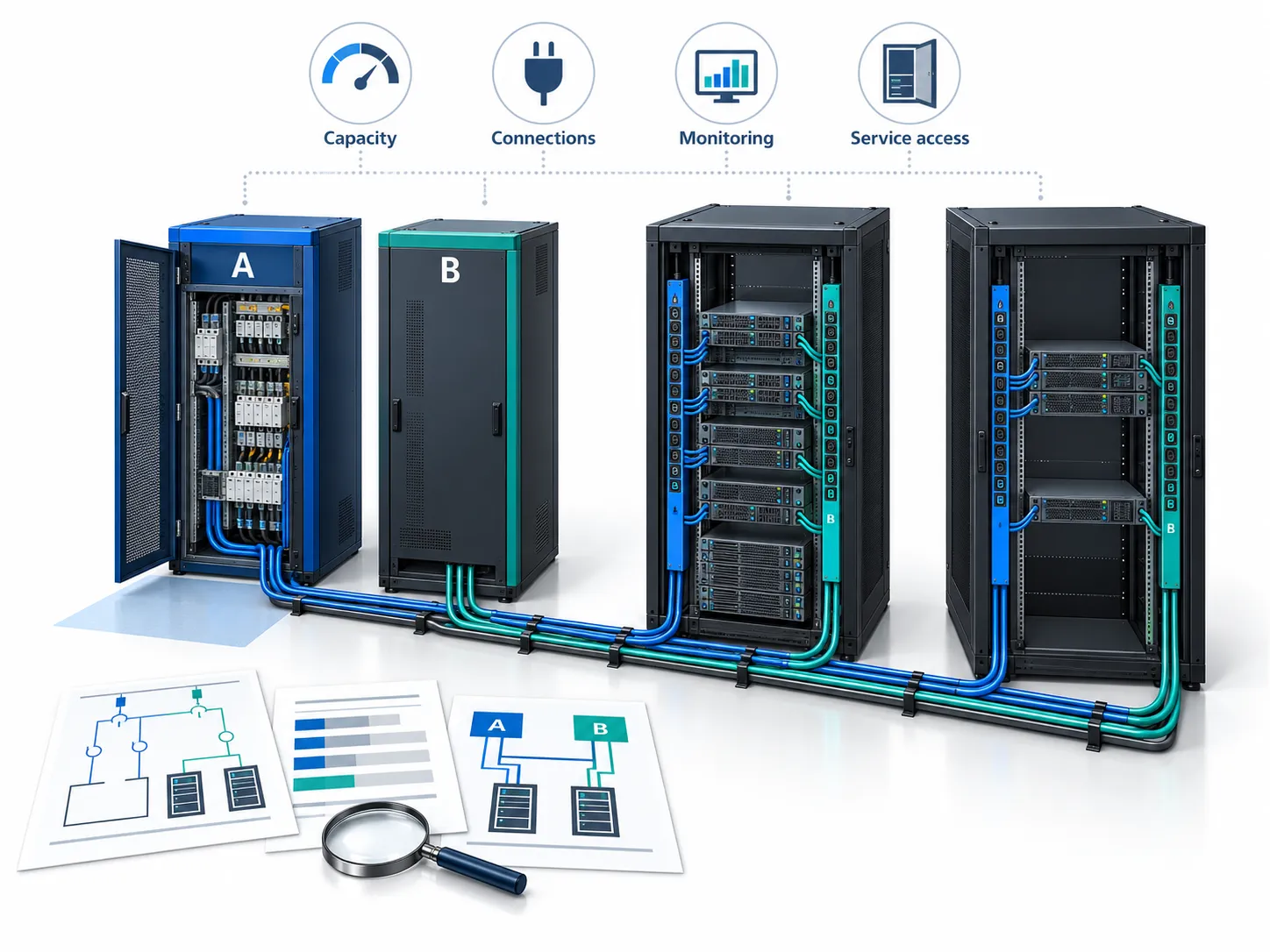
A suitable PDU arrangement supports the planned equipment during normal operation, required failure conditions, and maintenance. The decision rests on the complete power path: usable capacity, available connections, monitoring, and service access must work together. Spare nameplate capacity alone cannot establish that a design is ready for expansion.
If you are adding racks or reviewing a specification, gather your single-line diagram, supply details, rack loads, and redundancy requirements. These details identify the distribution layers involved and make product comparisons more useful. Contact us with your project requirements to discuss enclosure options for the distribution equipment in your design.
Related Reading
Data Center Power Distribution: Utility to Rack
What Is a Remote Power Panel in a Data Center?
How to Choose a Data Center Remote Power Panel
Data Center Power Distribution Cabinets Guide





 EN
 ES
 FR
 AR
 JA
 KO
 RU
 DE
 PT
 IT
 ZH
 TH
 VI
 HI
 MS
